Convert Hundreds of Contact Screenshots into Excel, CSV, or VCF
Batch process CRM screenshots, WhatsApp contact lists, business cards, images, and PDFs into structured exports without typing every contact by hand.
or click to browse · Supports JPG, PNG, PDF
Bulk contact converters
Start from the batch cleanup workflow that matches your screenshots, images, or export target.
WhatsApp Screenshot to VCF
Convert WhatsApp contact screenshots into phone-ready VCF files.
Excel exportCRM Screenshot to Excel
Extract contacts from CRM list views and export them to Excel.
SpreadsheetScreenshot Contacts to Excel
Turn contact screenshots into structured spreadsheets.
AI extractionExtract Contacts from Image
Extract names, phones, emails, companies, and notes from images.
Why use our contact extraction tool?
Built for Contact Fields
Extract names, phones, emails, companies, and notes from screenshots and lists, then keep them structured for export.
Secure Preview Workflow
Perfect for sensitive business data. Your files are handled with a privacy-first workflow designed for secure review and export.
Export After Every Completed Scan
Scan first, then convert contacts directly to .xlsx, .csv, or .vcf (vCard) for instant CRM import or phone contact saving. Credits are used for extra scans, not for export.
Two common bulk cleanup workflows
Bulk contact screenshot to Excel: Capture contacts from back-office systems, old CRMs, directories, or list views that do not export cleanly, then move them into a structured spreadsheet.
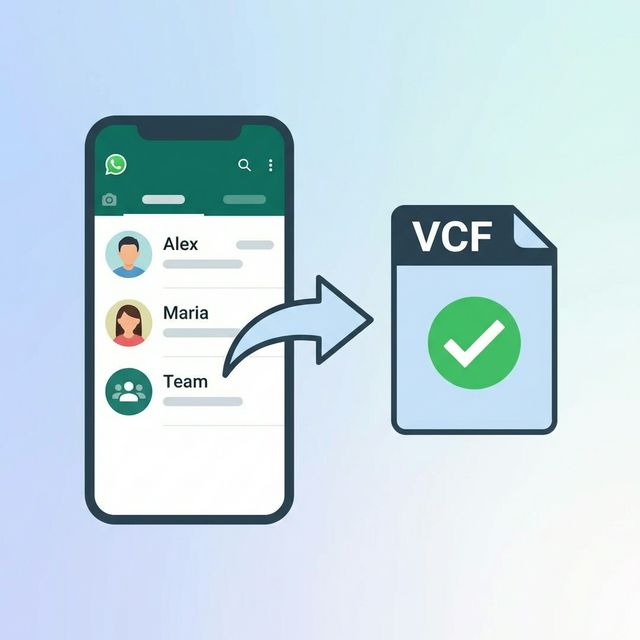
WhatsApp contacts bulk export to VCF: Turn multiple contact or group-member screenshots into a phone-ready VCF file without saving numbers one by one.
WhatsApp Contact Screenshots to VCF in Bulk
Switching phones or cleaning up old chats? Take screenshots of your WhatsApp contact lists, upload them here, and get a ready-to-import .vcf file for your phone contacts.
-
1
Screenshot your WhatsApp contact lists
-
2
Upload the screenshots to AIScanLeads
-
3
Download the VCF file and import to your phone
How to Batch Extract Contacts from Screenshots
AIScanLeads is designed for contact extraction, not generic document OCR. Upload a screenshot, image, or PDF, review the structured contact fields, and export the result directly when the scan is complete.
It works especially well for one-off cleanup jobs with hundreds of CRM screenshots, WhatsApp contact lists, business cards, and other contact sources that are hard to export cleanly.